Channel groups and program guide
Australian IPTV channels: what you can watch
Australian IPTV channels are grouped by type and by country, so you can move around with a TV remote rather than scrolling one long list. This page explains what each group covers, how the program guide works in Australian time zones and how to check a particular channel before you buy. We don’t publish a headline channel count: line-ups change, and a big number tells you very little about whether your favourite is there.
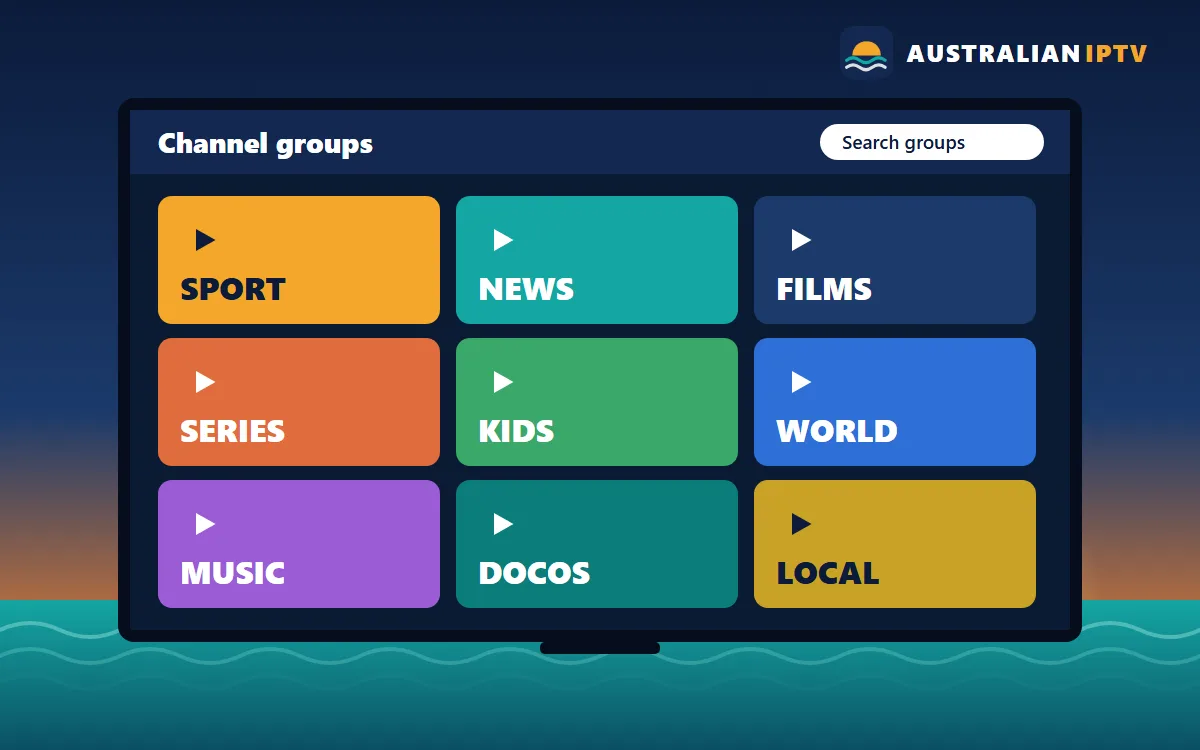
How Australian IPTV channels are organised
When your player app loads for the first time, you’ll see a list of groups down the left-hand side or along the top of the screen. Each group holds channels of one kind, such as sport, news or kids, or channels from one country or region. Open a group, move to a channel and press OK to watch. Most apps also let you search by name, hide groups you never use and pin favourites to the top, which makes a large list feel small very quickly. That’s the whole idea behind how we sort Australian IPTV channels: less scrolling, more watching.
Live channels sit in the Live TV section. Films and series are separate, in the on-demand sections usually labelled Movies and Series. That split matters: live channels follow a schedule, while on-demand titles start whenever you press play.
Sport for every season
For many Australian households the year is measured in sport. Winter means footy, summer means cricket and tennis, and there’s motorsport, basketball and international football in between. The sport groups in our Australian IPTV channels list cover all of these codes, along with combat sports, golf and racing.
Which matches are available depends on the current line-up and on broadcasting arrangements, so we never promise a particular game or competition in advance. If there’s a fixture you can’t miss, message us on WhatsApp before ordering and we’ll tell you honestly what the list shows today. For live sport, a wired connection and the HD version of a channel usually give the steadiest picture during the busy evening slot.
News and current affairs
The news groups bring together local and world news, business and finance coverage and round-the-clock international bulletins. They’re handy for catching up first thing in the morning, following a breaking story through the day, or watching news from a country you have family in.
Films and series on demand
The on-demand library is browsed like a streaming service. Films are sorted by genre, from action and comedy to documentaries, and series are organised by show and season so you can pick up from the right episode. Many players remember where you stopped, and some let you mark titles to watch later. On-demand titles don’t depend on a schedule, which suits shift workers and anyone watching from a different time zone.
Kids and family
Cartoons, family films and children’s shows live in their own groups. Setting those as favourites on a child’s tablet keeps the rest of the list out of the way, and several player apps offer a parental PIN to lock adult or late-night groups.
International TV from home
Australia is home to people from all over the world, and the international groups reflect that. You’ll find channels from the UK and Ireland, New Zealand, India and South Asia, East and South-East Asia, Europe, the Middle East, the Pacific Islands and Latin America. If you’re after a specific language, ask us which groups carry it before you buy.
Favourites, search and hidden groups
A long list becomes manageable in a couple of minutes. In most player apps you can press and hold OK on a channel to add it to favourites, hide whole groups you never watch, and search by name with the remote or a phone keyboard. Families often set up a separate favourites list for each person, so the kids land on cartoons and everyone else lands on news or sport.
Program guide and Australian time zones
Supported apps show an electronic program guide (EPG): a grid of what’s on now and next for each channel. Set the guide to your time zone in the app’s settings, or adjust its time offset, so start times match your clock. Remember that daylight saving changes things twice a year: New South Wales, Victoria, Tasmania, the ACT and South Australia move their clocks, while Queensland, Western Australia and the Northern Territory don’t. If guide times look an hour out after a change, a quick offset adjustment fixes it.
Picture quality and your connection
Many Australian IPTV channels come in more than one version, such as SD, HD, FHD and sometimes 4K. Higher quality needs more bandwidth, so match the version to your connection: about 10 Mbps for HD and 25 Mbps or more for 4K is a sensible rule of thumb. If the picture buffers in the evening, switch to the HD version of the same channel. Our setup guides include connection tips for every device.
How to check a channel before you buy
The easiest way to check Australian IPTV channels is to ask. Send us a WhatsApp message naming the channel, competition or language you’re interested in, and we’ll check the current list for you. We’d rather you know before you pay than find out afterwards.
Found what you want to watch?
Pick the number of screens you need and the length that suits you. Every plan includes all Australian IPTV channel groups.